


 Loading...


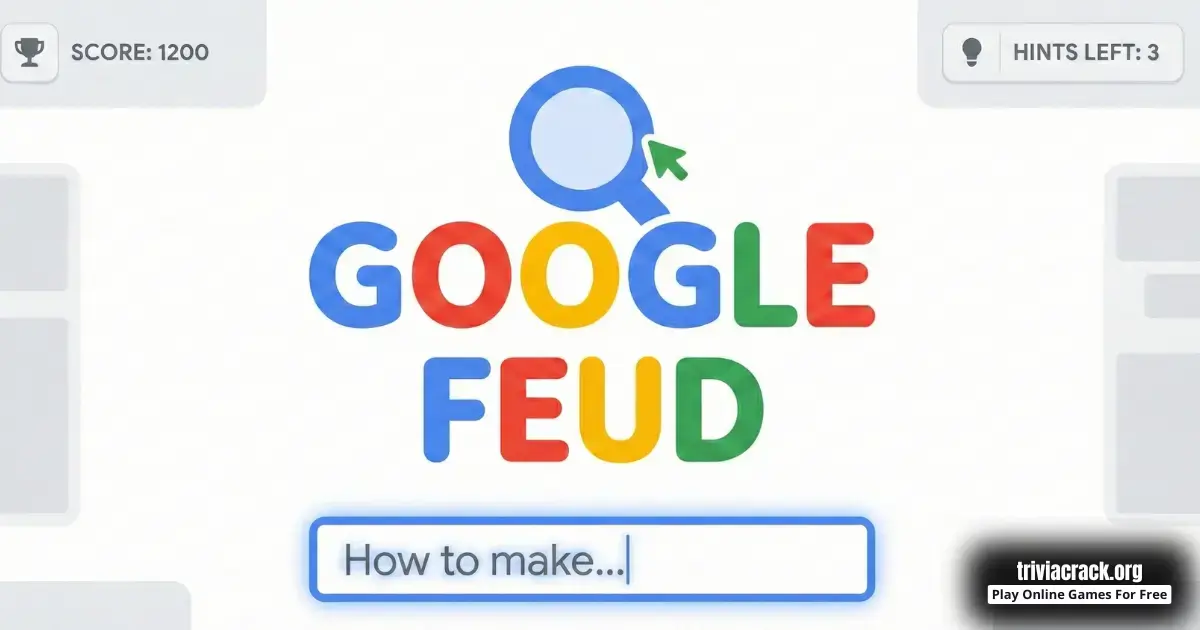
Play Google Feud online for free and enjoy a fast, funny autocomplete guessing quiz you can open right in your web browser. Start a round in seconds on our Google Feud game page, pick a category, and try to predict what people search for the most.
Quick answer: You see part of a search phrase, then you type guesses to match the hidden top autocomplete answers and score points before you run out of strikes.
What is Google Feud?
Google Feud is a browser guessing quiz game that turns search autocomplete suggestions into a fun challenge. The game shows a search starter, and you try to guess the most popular ways people finish that phrase. When your guess matches a hidden answer, you score points and keep going until the round ends.
This Google Feud game feels like a quick quiz show mixed with word puzzle thinking. You are not trying to be the smartest person in the room. You are trying to think like a crowd. Ask yourself: what would lots of people type next, not just what you would type next.
Developer: Justin Hook (confirmed). Release date: The game was initially released on April 23, 2013. The game is inspired by the style of Family Feud, but it is not officially affiliated with Google. For a reliable overview, you can check Google Feud on Wikipedia.
Kid-friendly tip: If you want a calmer first session, choose categories that feel comfortable and stick to simple, polite guesses. If a prompt feels weird, you can switch categories or end the round right away.
Google Feud Gameplay
Each round gives you a search starter, like a sentence beginning, and the game hides several top answers. You type a guess. If it matches one of the hidden answers, it appears on the board and you earn points. Misses usually count as strikes, so you need to guess smartly and stay calm.
Rounds move fast, and points often depend on how popular the answer is. A good round feels like solving a word puzzle: you start broad with simple guesses, then you narrow down once you discover the theme. When you get one correct answer, treat it like a clue. Use it to guess similar words and phrases.
Example play:
Category: Questions
Prompt: "How do I make..."
Safe guesses: "slime", "pancakes", "paper airplane"
Mini strategy: Spend your first guesses on the safest, most common completions. Then use your remaining tries for more specific ideas.
Platform
You can play Google Feud online directly in your web browser on desktop, laptop, tablet, or mobile. That means you can jump in anytime with no download needed for the browser version.
How to Play Google Feud
- Goal: Reveal as many hidden autocomplete answers as you can and build a big score before you use up your strikes.
- Steps: 1) Choose a category. 2) Read the search starter carefully. 3) Type a guess that could complete it. 4) Use correct answers as clues for the theme. 5) Avoid strikes, finish the round, and try again to beat your score.
This is a guessing quiz, so your first guesses matter. Start with everyday words, then get more specific once you understand the topic. If you get a strike, pause for one second and reread the starter from the beginning. Often the best answer is the simplest one you skipped.
Try this: Use a "three easy guesses" rule. Your first three guesses must be simple, safe, and common. It helps you warm up and score early.
Quick keyword note: If you are searching for the game Google Feud or the Google Feud game in your browser, this is the same idea: you play online, guess popular search endings, and try to get a higher score each round.
Google Feud Controls
- Desktop: Use your mouse to click a category and the answer box. Type your guess on the keyboard, then press Enter (or the on-screen submit) to check it.
- Mobile: Tap the answer box to open your on-screen keyboard, type your guess, then tap the submit button.
Controls may vary slightly by version or device.
Fast typing tip: Short guesses are faster. Try one or two words first, then add more only if needed.
Google Feud Tips and Tricks
- Think like a crowd. Guess what many people would type, not what you personally would type.
- Read the starter out loud. Hearing the sentence can help you spot common endings.
- Start with the most obvious, kid-safe words before you try rare ideas.
- Use the category as a clue. "People" often wants names, while "Questions" often wants short phrases.
- Try one-word guesses first, then add a second word if you need to be more specific.
- Use your first correct answer as your best clue. If you find one answer, guess close cousins and similar ideas.
- Try synonyms. If "joke" works, you might also try "funny" or "laugh".
- Try singular and plural forms. If "dog" fails, "dogs" might work, and the other way around.
- Keep guesses short. Long sentences waste time and often miss the exact wording.
- Make a mini list of 5 possible answers in your head before you type any of them.
- When a prompt is about a thing, try a place next. When it is about a place, try an activity next.
- If you are stuck, switch categories and come back later with fresh ideas.
- Play in short sessions. Aim for small improvements, like one extra correct answer per day.
Example play:
Category: Food
Prompt: "Best snack for..."
First guesses: "school", "party", "movie night"
Kid-friendly idea list: school, pets, sports, cartoons, snacks, hobbies, crafts, easy recipes, and simple games are often safer topics for guessing.
Google Feud Common Mistakes to Avoid
- Mistake: Guessing super rare words first. Fix: Begin with common words and short phrases.
- Mistake: Overthinking every guess. Fix: Start simple, then refine once you see the theme.
- Mistake: Ignoring the category. Fix: Let the category guide your guesses and vocabulary.
- Mistake: Typing long sentences. Fix: Try 1 to 3 words that could fit lots of answers.
- Mistake: Guessing only what you like. Fix: Guess what lots of people would type.
- Mistake: Forgetting clues from correct answers. Fix: Use your first hit to guide the rest.
- Mistake: Giving up after one miss. Fix: Reset with an easy guess, then build up again.
- Mistake: Playing too long when tired. Fix: Take a short break, then come back fresh.
Quick reset trick: If you miss twice in a row, try a simple, popular word that fits many prompts, like "best", "easy", "fun", or "cool". Then follow the new clue.
Google Feud Features
- Autocomplete-style guessing that feels different every time you play.
- Multiple categories so you can pick easy or tricky prompts.
- Quick rounds that fit into short breaks.
- Score-based gameplay that rewards popular answers.
- Simple rules that kids can learn quickly.
- Funny surprise reveals when the hidden answers appear.
- Typing practice that can improve spelling and speed.
- Replay value because prompts and answers keep changing.
- Browser play on desktop and mobile with no installs needed for the web version.
- Great for turn-taking with friends or family on one screen.
Try this: Play one round in each category, then choose your favorite and try to beat your best score there.
Google Feud Download
Prefer an app on your device? You can also check these options:
For Google Feud on iOS (iPhone or iPad)


Google Feud Unblocked
If you are searching for Google Feud unblocked, you can simply play the browser version on our site: Google Feud. There is no special setup needed.
If you are at school or work, always follow the rules of your location and only play during breaks or free time. Do not try to bypass filters or restrictions. A simple plan is to play one quick round, then close the tab when your break ends.
No need to search for Google Feud unblocked 76, Google Feud unblocked 66, Google Feud Poki, Google Feud Cool Math Games, Google Feud Math Playground, Google Feud Crazy Games, Google Feud Classroom 6x, or Google Feud 2 Player Games. The updated browser version is available right here on our Google Feud page.
Google Feud Github
Some players search for Google Feud Github, but you do not need any code, downloads, or installs to play. The easiest way is to open the Google Feud game in your browser and start guessing.
Play Online for Free
You can play Google Feud online for free on our website. Just open the game page, pick a category, and start a round. This browser guessing quiz works great for quick sessions, and you can stop anytime.
Is Google Feud Safe for Kids?
- This is a browser quiz game, so it is on-screen only and does not involve real-life activities.
- You do not need to chat with strangers to play a normal round.
- Because prompts are based on autocomplete-style phrases, some can be odd or surprising.
- For younger kids, playing with a parent nearby can help keep it comfortable.
- If a prompt feels uncomfortable, switch categories or end the round right away.
- Do not type personal information in your guesses, like your full name, address, or phone number.
Parents: A simple house rule is "polite words only". If a prompt surprises you, switch categories and keep the session positive. Starting with calmer topics like animals, food, school, or hobbies can also help.
Why You'll Love Google Feud
- It is quick to learn, so you can start playing right away.
- Every round feels fresh because prompts change.
- It rewards creativity plus common sense guessing.
- The reveal moments are funny and satisfying.
- It can help you practice spelling, typing, and quick thinking.
Fun challenge: Try to get 3 correct answers before your first strike. When you beat that, aim for 4. Small goals make this autocomplete game feel exciting every time.
Google Feud Details
Important note: Google Feud is a parody browser game made for fun, and it is not connected to Google or any official Google services. Even though it looks like search autocomplete, it is just a guessing quiz where you try to predict popular phrase endings, not a real Google product or a real search tool.
Requirements
To play this Google Feud browser game, all you need is an internet connection and a modern web browser. No download is required for the web version.
Release Date
April 23, 2013
Developer
Justin Hook
Platform
Web browser (desktop and mobile)
Technology
Built using modern web technology for browser play (exact tech not officially confirmed).
Similar Games to Google Feud
If you enjoy Google Feud and you want more quick brain games, explore our categories and try another fun title. If you love guessing and trivia, start here:
Quiz Games and Guessing Quiz Games
Quiz Games
Quiz games are all about answering questions and collecting points with your brain. You will often see topics, choices, and quick rounds, plus fun scoring like streaks, bonuses, or timed challenges. Since these games work in a web browser, you can play on desktop or mobile without downloading anything. If you want more smart fun like Google Feud, browse our Quiz Games collection and find a new favorite.
Guessing Quiz Games
Guessing quiz games focus on predicting the right answer when you only get part of the clue, like a word start, a sentence starter, or a hidden list. You use patterns, common phrases, and smart guesses to reveal what is hidden. These games are perfect if you like Google Feud unblocked style play, because they are quick, simple, and great for short breaks. Try our Guessing Quiz collection for more fast guessing fun.
FAQ
Is Google Feud free to play?
Yes. You can play Google Feud online for free in your web browser on our website. Just open the game and start a round.
What is Google Feud?
Google Feud is a browser guessing quiz based on autocomplete-style search phrases. Your job is to complete the starter with popular answers and collect points.
Is Google Feud really based on Google searches?
The game uses autocomplete-style suggestions as inspiration for its hidden answers. It is not officially made by Google, but it copies the fun idea of predicting common searches.
Is Google Feud safe for kids?
It is a browser quiz game with simple typing and reading. Because autocomplete-style prompts can sometimes be odd, younger kids may enjoy it best with a parent nearby and with a polite-words rule.
Can I play Google Feud on mobile?
Yes. You can play in a mobile browser, and typing works with the on-screen keyboard. If the text box feels small, try landscape mode for easier typing.
Do I need to download anything?
No. The browser version runs online, so you can play with no download. If you prefer an app, you can check the store links in the download section.
Can I play Google Feud unblocked at school or work?
Only if your school or workplace allows it and you are on a break. Always follow local rules, and do not try to bypass filters or restrictions.
What categories are in Google Feud?
Most versions include categories like Culture, People, Names, and Questions. Some versions also include extra choices. Pick a category that feels easy first, then try harder ones later.
Why is the game not loading?
Refresh the page and wait a few seconds. If it still does not load, close extra tabs, turn off heavy extensions, or try a different browser.
Why is Google Feud lagging?
Lag can happen if your device is busy or your connection is slow. Close extra tabs, pause other streaming, and try again.
My typing or submit is not working, what do I do?
Click or tap the answer box again and try a shorter guess. If that does not help, reload the page and make sure your keyboard language is set normally.
How do I get a higher score in Google Feud?
Start with the most common words, then follow the theme of your first correct answer. Think of popular phrases people use every day, and try singular and plural versions if needed.
Does Google Feud save my progress?
Some versions show your score for the current session, but long-term saving is not always available. If you want to track progress, write down your best score and try to beat it.
Can I play with friends?
Google Feud is usually a single-player browser game, but it is fun to take turns on one screen. Try a simple rule like "one guess each" to keep it fair.
Conclusion
Google Feud is a quick, clever browser guessing quiz where you predict the most popular endings to search starters. It is easy to open, easy to learn, and every round feels like a new word puzzle.
Start with simple, kid-friendly guesses, use your first correct answer as a clue, and keep thinking like a crowd. Play a few short rounds and you will notice patterns that help you score higher.
Ready to test your guessing skills? Open Google Feud now and play Google Feud online for free in your browser.